
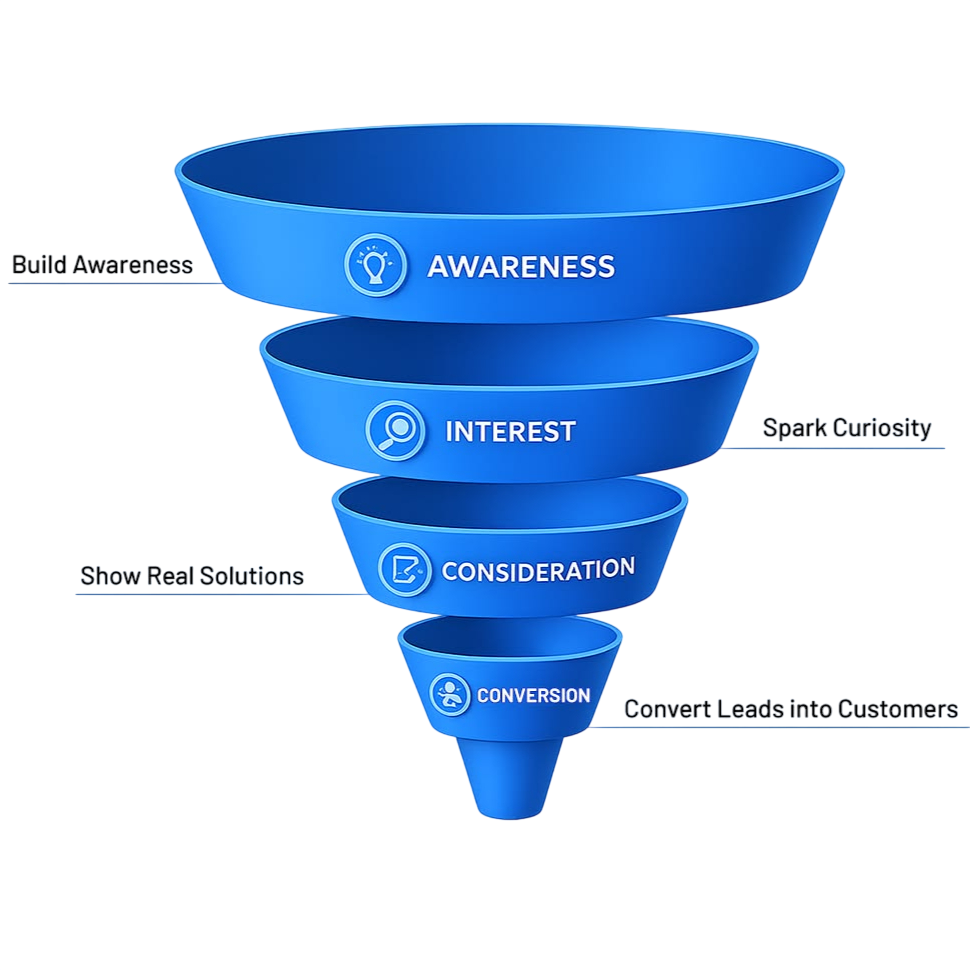
Strategic Digital Marketing Services: The Complete Full-Funnel Growth Framework Full-funnel digital marketing services unify organic search (SEO), targeted paid advertising […]
WordPress powers more than 40% of websites worldwide, making it the most popular content management system (CMS). One of the biggest reasons for its popularity is its vast ecosystem of plugins that allow website owners to add powerful features without writing a single line of code.
Whether you’re running a blog, business website, eCommerce store, portfolio, or agency website, choosing the right plugins can significantly improve your website’s performance, security, SEO, and user experience.
In this article, we’ll explore the 25 best WordPress plugins that can help you build, manage, and grow your website in 2026.
Why WordPress Plugins Matter
WordPress plugins help you:
- Improve website SEO
- Increase website speed
- Enhance security
- Generate leads
- Create landing pages
- Optimize conversions
- Manage backups
- Improve user experience
Let’s dive into the top WordPress plugins every website owner should consider.
1. Yoast SEO
Yoast SEO is one of the most popular SEO plugins for WordPress. It helps optimize your content for search engines and improve website rankings.
Key Features:
- XML sitemap generation
- Meta title and description optimization
- Readability analysis
- Schema markup support
2. Rank Math SEO
Rank Math has quickly become a favorite among SEO professionals.
Key Features:
- Keyword optimization
- Advanced schema support
- Google Search Console integration
- SEO score analysis
3. Elementor
Elementor is a drag-and-drop page builder that allows users to create professional websites without coding.
Key Features:
- Visual editor
- Responsive design
- Landing page templates
- Marketing widgets
4. WPForms
WPForms makes creating contact forms incredibly simple.
Key Features:
- Drag-and-drop form builder
- Contact forms
- Survey forms
- Payment forms
5. WooCommerce
WooCommerce is the most popular eCommerce plugin for WordPress.
Key Features:
- Product management
- Payment gateway integration
- Inventory management
- Shipping configuration
6. LiteSpeed Cache
A powerful caching plugin that dramatically improves website speed.
Key Features:
- Page caching
- Image optimization
- Database cleanup
- CDN integration
7. WP Rocket
WP Rocket is one of the best premium caching plugins available.
Key Features:
- Lazy loading
- Page caching
- CSS and JavaScript optimization
- Performance enhancement
8. Wordfence Security
Protect your website from hackers and malware attacks.
Key Features:
- Firewall protection
- Malware scanning
- Login security
- Real-time threat detection
9. UpdraftPlus
Never lose your website data again with automated backups.
Key Features:
- Scheduled backups
- Cloud storage integration
- One-click restoration
- Website migration
10. Smush
Optimize images without compromising quality.
Key Features:
- Image compression
- Bulk optimization
- Lazy loading
- WebP support
11. MonsterInsights
Connect Google Analytics with WordPress easily.
Key Features:
- Traffic reports
- User behavior tracking
- Conversion tracking
- eCommerce analytics
12. Really Simple SSL
Enable SSL certificates and improve website security.
Key Features:
- Automatic SSL configuration
- HTTPS redirection
- Security improvements
13. Akismet Anti-Spam
Protect your website from spam comments.
Key Features:
- Spam filtering
- Automated moderation
- Comment protection
14. Contact Form 7
A lightweight and reliable contact form plugin.
Key Features:
- Multiple forms
- Email notifications
- Custom form fields
15. Redirection
Manage redirects and fix broken URLs.
Key Features:
- 301 redirects
- 404 monitoring
- URL management
16. All-in-One WP Migration
Move your website between hosting providers with ease.
Key Features:
- Full-site export
- Easy migration
- Backup functionality
17. SeedProd
Create stunning landing pages and coming-soon pages.
Key Features:
- Drag-and-drop builder
- Conversion-focused templates
- Lead generation tools
18. MailPoet
Build and manage email marketing campaigns directly from WordPress.
Key Features:
- Newsletter creation
- Subscriber management
- Email automation
19. ShortPixel
Compress images for faster loading speeds.
Key Features:
- Image optimization
- WebP conversion
- Bulk image processing
20. Broken Link Checker
Find and fix broken links on your website.
Key Features:
- Link monitoring
- Broken link alerts
- Easy link editing
21. Schema Pro
Improve search visibility using structured data.
Key Features:
- Rich snippets
- Article schema
- Product schema
- Local business schema
22. Easy Table of Contents
Improve user experience and SEO with automatic table generation.
Key Features:
- Automatic TOC creation
- Better content navigation
- Improved readability
23. Spectra
Enhance the default WordPress block editor.
Key Features:
- Advanced Gutenberg blocks
- Design flexibility
- Performance optimization
24. FluentCRM
Manage customer relationships directly from WordPress.
Key Features:
- Email marketing automation
- Lead management
- Customer segmentation
25. Site Kit by Google
Access all important Google tools in one dashboard.
Key Features:
- Google Analytics integration
- Search Console reports
- AdSense data
- PageSpeed Insights
How to Choose the Right WordPress Plugins
Before installing any plugin, consider:
Performance
Choose lightweight plugins that won’t slow down your website.
Security
Install plugins from trusted developers with regular updates.
Compatibility
Ensure the plugin works with your WordPress version and theme.
Support
Choose plugins that offer documentation and customer support.

Once you understand the conceptual architecture of a Meta ads funnel, the most critical question is: “How do I distribute […]

The Framework: Building a High-Converting Meta Ads Funnel from Scratch Running Meta ads without a structured funnel is the fastest […]